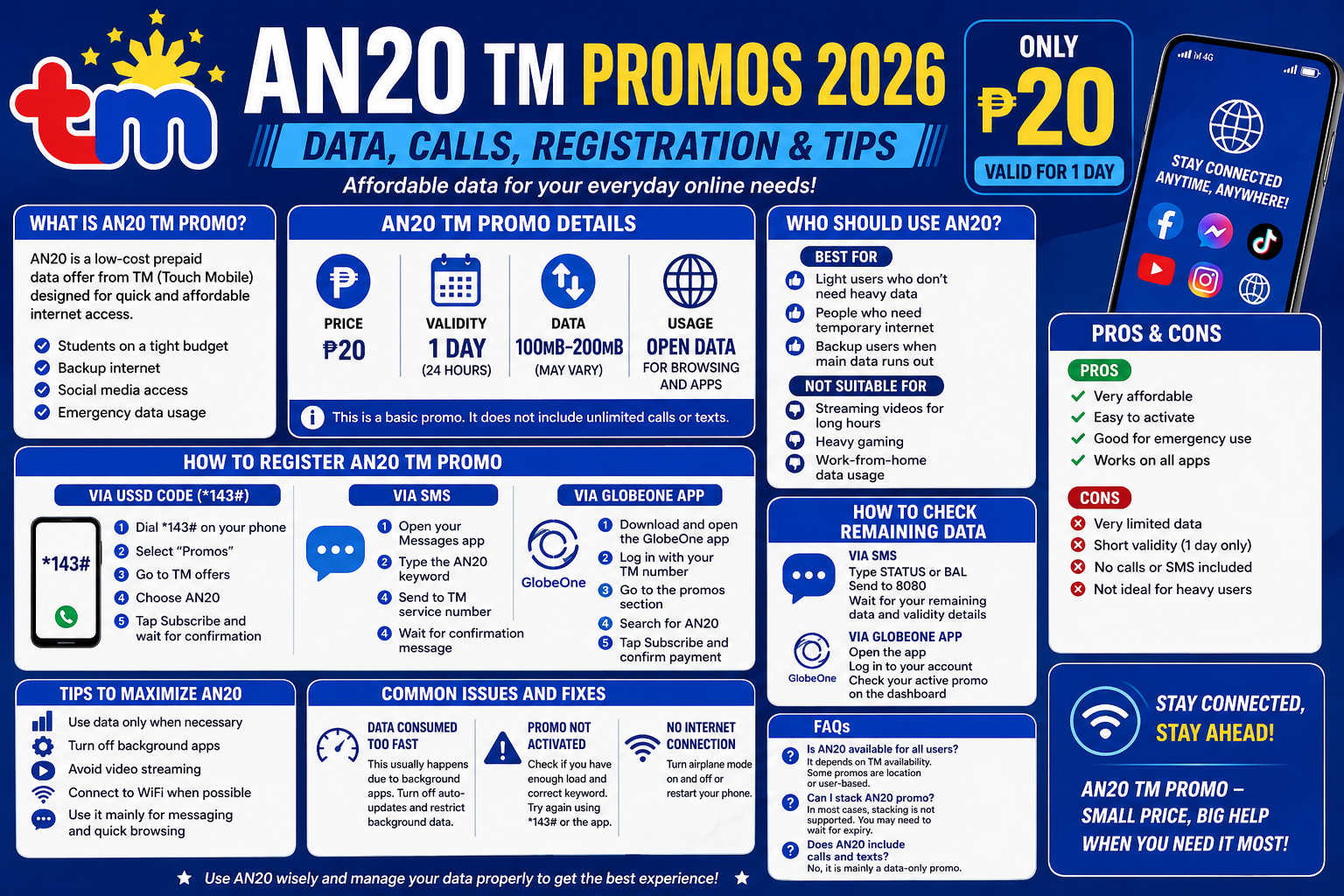
If you’re looking for a cheap and quick data promo, AN20 TM promos are one of the most searched options among prepaid users in the Philippines. With just ₱20, you get short-term internet access that is perfect for emergency use, social media, or light browsing.
Many users activate random promos and end up wasting load. This guide will help you understand what AN20 offers, how to register, and how to use it properly so you get maximum value.
What Is AN20 TM Promo
AN20 is a low-cost prepaid offer under Globe Telecom through its TM (Touch Mobile) brand. It is designed for users who need quick and affordable mobile data for a short period.
This promo is ideal for:
- Students on a tight budget
- Users needing backup internet
- Quick social media access
- Emergency data usage
AN20 TM Promo Details
Here’s what you typically get with AN20:
- Price: ₱20
- Validity: 1 day (24 hours)
- Data: Around 100MB to 200MB (may vary)
- Usage: Open data for browsing and apps
This is a basic promo, so it does not include unlimited calls or texts.
How to Register AN20 TM Promo
You can activate AN20 using different methods. Choose the easiest one for you.
Via USSD Code (*143#)
- Dial *143# on your phone
- Select “Promos”
- Go to TM offers
- Choose AN20
- Tap Subscribe and wait for confirmation
Via SMS
- Open your Messages app
- Type the AN20 keyword (varies depending on availability)
- Send to TM service number
- Wait for confirmation message
Via GlobeOne App
- Download and open the GlobeOne app
- Log in with your TM number
- Go to the promos section
- Search for AN20
- Tap Subscribe and confirm payment
Tips: Register TM SIM card first before activating promo.
How to Check Remaining Data
To avoid sudden data loss, always track your usage.
Via SMS
- Type STATUS or BAL
- Send to 8080
- Wait for your remaining data and validity details
Via GlobeOne App
- Open the app
- Log in to your account
- Check your active promo on the dashboard
Who Should Use AN20
AN20 is best for:
- Light users who don’t need heavy data
- People who need temporary internet
- Backup users when main data runs out
It is not suitable for:
- Streaming videos for long hours
- Heavy gaming
- Work-from-home data usage
Pros and Cons of AN20 TM Promo
Pros
- Very affordable
- Easy to activate
- Good for emergency use
- Works on all apps
Cons
- Very limited data
- Short validity (1 day only)
- No calls or SMS included
- Not ideal for heavy users
Tips to Maximize AN20
- Use data only when necessary
- Turn off background apps
- Avoid video streaming
- Connect to WiFi when possible
- Use it mainly for messaging and quick browsing
These small steps can help you extend your data and avoid wasting it quickly.
Common Issues and Fixes
Data Consumed Too Fast
This usually happens due to background apps. Turn off auto-updates and restrict background data.
Promo Not Activated
Check if you have enough load and correct keyword. Try again using *143# or the app.
No Internet Connection
Turn airplane mode on and off or restart your phone.
FAQs
Is AN20 available for all users
It depends on TM availability. Some promos are location or user-based.
Can I stack AN20 promo
In most cases, stacking is not supported. You may need to wait for expiry.
Does AN20 include calls and texts
No, it is mainly a data-only promo.
Conclusion
The AN20 TM promo is a simple and budget-friendly option for users who need quick mobile data at a low cost. It is not designed for heavy usage, but it works perfectly for short-term needs like messaging, browsing, and social media.
If you use it wisely and manage your data properly, AN20 can be a very useful backup promo that saves you from running out of internet at the wrong time.